Needs your own account
Text messages: set up your own Twilio account
CalSpark can send appointment reminder and On-my-way texts through a Twilio account that you own. It is not turnkey: you set up Twilio first, switch Text messaging on in Company, Features, and customers must have agreed to receive texts. Email reminders do not need any of this.
Menu path: Company, Features and Settings, Integrations. Updated .
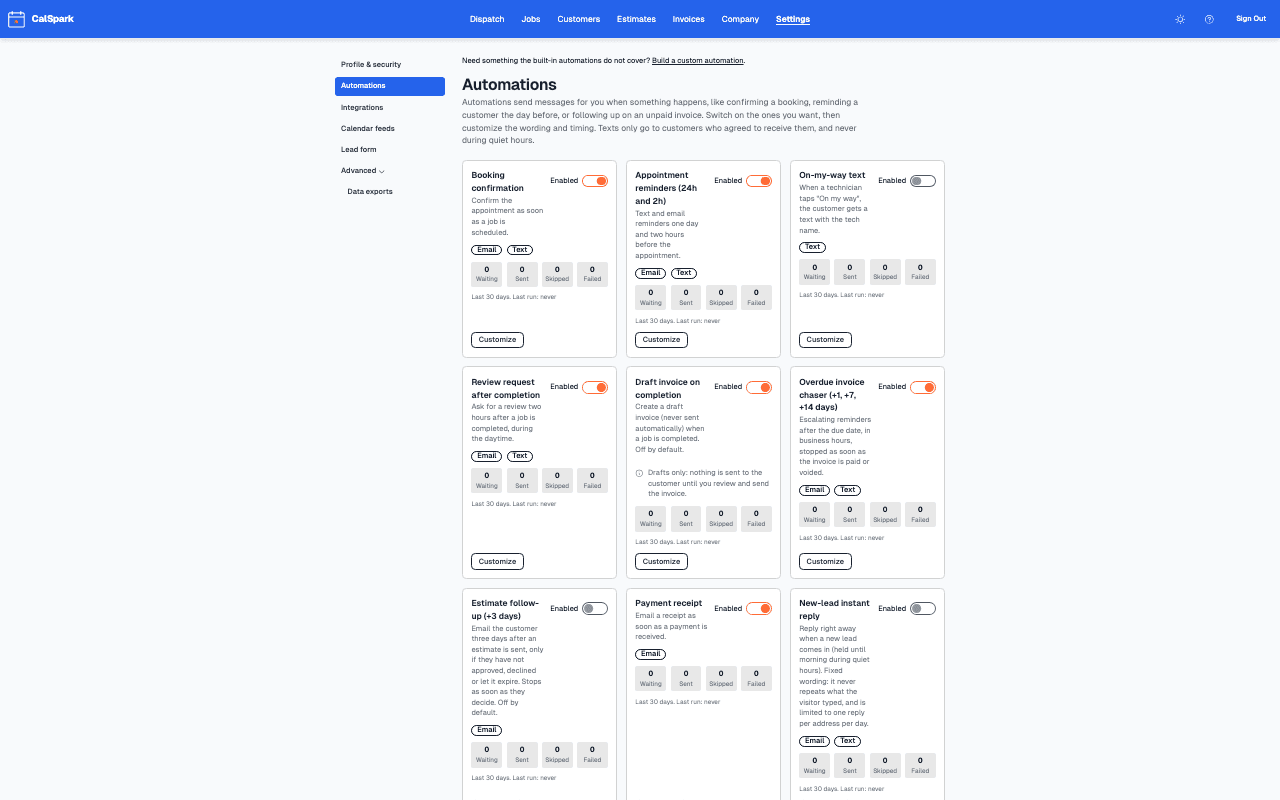
Rules built into texting
- Consent: customers must have opted in before they get texts. A customer without consent is skipped and the run log says why.
- Opt-out: when a customer replies STOP, CalSpark stops texting them. START turns texts back on.
- Quiet hours: texts are not sent between 9pm and 8am in your time zone, except live updates such as a technician on the way.
- Fair-use sending limits apply to everything CalSpark sends for you, and trial accounts have lower limits than paid accounts. Test sends count.
Limits to know first
- You bring and pay for the Twilio account. Setup is required before any text can be sent.
- Texts are off by default and stay off until an admin turns them on.
- Two-way text conversations are not a feature. CalSpark sends texts and receives STOP and START replies.
- Email reminders work without Twilio. See appointment reminder emails customers read.
The reminder and On-my-way rules are built in the custom automation builder or switched on from the templates.
Questions
Do I need my own Twilio account?
Yes. Texts go through a Twilio account that your company owns and pays for. CalSpark does not provide one.
Are texts switched on when I sign up?
No. They are off until an admin turns on Text messaging in Company, Features and connects Twilio.
Who gets a text?
Only customers who have agreed to receive texts. A customer who replies STOP is not texted again until they reply START.
Can customers reply with questions?
CalSpark handles STOP and START replies. It is not a two-way inbox, so customers who write back should be answered from your own phone.
Why did a text not send?
Common reasons are no consent on file, a customer who opted out, quiet hours, Text messaging switched off, or a sending limit. The automation run history shows the reason.
Keep reading
- Appointment Reminder Emails Customers Actually ReadWhat to put in an appointment reminder email for a trade business: subject lines, the first line, example wording, 24 hour and 2 hour timing, and how to check the log.
- Build Your First Custom Automation: Three RecipesHow the CalSpark custom automation builder works, a step-by-step build, and three recipes: a check-in email, a big-invoice alert and a completed-job webhook.
- Technician view and iOS app statusTechnicians use the web view on any phone today to see jobs, tap On my way, update status and add photos. The iOS app is built but not in the App Store.
- Integrations: what works today and what is plannedEvery integration with a one-line status. Live: Stripe, Slack, calendar feeds, API, webhooks. Texts need your own Twilio account. Planned, not available: Zapier, QuickBooks, Google Calendar push.
- Pricing: $49 a month flat for up to 10 usersOne plan. $49 a month for up to 10 users, no per-user fees. 14-day free trial with no card. See how it compares to per-user pricing.
Try it with your own jobs
14-day free trial. No card. $49 a month flat for up to 10 users after that.